Artificial Intelligence for Dentistry. AI Dental Employee —
ConfettiAI.
Some AI features are free.
ConfettiAI is our AI employee and set of tools who will help you complete a whole range of routine tasks, relieve your team members and increase practice efficiency.
Choose the case, situation, or scenario that fits your needs and dive into the world of digital dentistry and artificial intelligence …

AIFEATURES
From ready-to-use tools to custom AI projects — we help you choose what fits your dental practice.
AI in Dentaltap is not a single solution but a set of tools with varying levels of complexity. Some features are already built into the software and require no implementation — they are available right after you start using the program and can be used immediately. Others are more complex projects that require an individual audit of your practice, selection of optimal AI technologies, and configuration tailored to your specific workflows. We help clinics identify which tools will bring the most value to their unique situation and implement projects of any scale — from quick wins to multi-agent systems with predictive analytics. The results of implementation include a reduction in routine workload by up to 57 percent, an increase in data quality to 95 percent, and a boost in patient satisfaction by 37 percent.
Treatment Planning via Gemini and Other Generative Models.
Integration with generative models (Gemini, ChatGPT, Claude) to generate treatment plans based on clinical queries. The clinician receives structured recommendations that take into account patient data and current clinical protocols (ADA, AAE, ESE, FDI) — in plain text, JSON, or as a procedure list linked to specific teeth. Studies confirm that Gemini demonstrates the highest accuracy and completeness in restorative planning, while MCP integration allows any LLM to be connected without system restructuring.
What This Brings to Your Practice.
The clinician formulates a request in natural language (e.g., “Create a treatment plan for tooth 46 based on ESE clinical guidelines”) — the system, through MCP, calls the selected model and returns a ready-to-use structured response.
Gemini 3 Flash achieves the highest median score (83) among five LLMs in diagnosing and planning treatment for common clinical cases.
In planning restorations for endodontically treated teeth, Gemini shows the highest accuracy and completeness, significantly outperforming DeepSeek and Microsoft Copilot.
Claude and Gemini provide the highest quality citations (85.7% and 84.2% accurate and relevant sources respectively).
Integration via MCP gives you the freedom to choose the best model for each task — you are not locked into a single vendor.
Important Limitation.
No single model consistently outperforms others across all clinical scenarios. Current LLMs should be viewed as assistive tools requiring clinician oversight, not as autonomous clinical decision-makers.
MCP Integration with Generative Models.
Connection to generative models (Gemini, ChatGPT, Claude) through a unified Model Context Protocol – MCP protocol. Integration into existing workflows with the freedom to choose the best model for each task without system restructuring.
What This Brings to Your Practice.
Your practice can access any MCP-compliant generative model through a single protocol — no custom integration required for each new model. You are not locked into one vendor.
This enables flexibility: use Gemini for treatment planning, ChatGPT for patient communication, Claude for compliance documentation — all through the same interface.
The system can be adapted to new models and capabilities as they become available, without costly modifications. This future-proofs your AI investment.
Important Limitation.
MCP integration requires technical setup and may not be available in all practice management systems. Practices should verify compatibility with their existing software before planning integration.
Model Context Protocol.
It is an open standard developed by Anthropic that allows AI assistants to securely and dynamically connect to the systems where data resides and perform actions. Instead of building custom integrations for each data source, developers implement the protocol once, and it unlocks access to an entire ecosystem of connections — from EHR systems and practice management software to external APIs and legacy databases.
In simple terms: MCP is a universal adapter for AI. Just as USB allows any device to connect to a computer, MCP allows any modern AI assistant (Gemini, ChatGPT, Claude, and others) to connect to any compatible system. With MCP, you add a single server address to your AI tool — and the connection is established, with queries made in natural language.
In Dentaltap, MCP is used for:
-
Connecting to generative models (Gemini, ChatGPT, Claude) through a single protocol.
-
Integrating with external systems without having to rebuild integrations for each new partner.
-
Providing flexibility — you are not locked into a single vendor and can choose the best model for each task.
MCP is supported by: Google (AI Studio MCP Server, Gemini), ChatGPT, Claude, Perplexity, DeepSeek, and other major AI platforms.
AI Voice Assistant for Dentistry.
Automation of phone calls and patient communication across seven scenarios: appointment booking and confirmation, reminders, post-treatment follow-ups, history collection, urgent call handling, virtual check-in, and satisfaction surveys. The AI handles routine calls 24/7, allowing your front desk to focus on in-clinic patient care.
What This Brings to Your Practice.
Your receptionist no longer spends hours on repetitive phone calls. The AI Voice Assistant answers calls, schedules appointments, sends reminders, collects patient history before the visit, and conducts follow-up calls after procedures — all automatically.
Patients can confirm or reschedule appointments without speaking to a human. Urgent calls are triaged and escalated when needed. Satisfaction surveys are conducted automatically, providing real-time feedback.
The system works around the clock, reducing no-shows and improving patient communication without adding extra staff.
Important Limitation.
The AI handles routine scenarios effectively but cannot manage complex medical questions or emotional patient situations. Human intervention is required for sensitive cases or when patients need personalized attention beyond the scripted scenarios.
AI Clinical Note — Automated Clinical Documentation.
Automated generation of structured clinical notes after each appointment. The system compiles data from procedures, questionnaires, vitals, and periodontal charts into a coherent, ready-to-use summary.
What This Brings to Your Practice.
Clinicians no longer spend 10–15 minutes manually documenting each visit. After the appointment, you open the patient’s chart, click a button, and the AI Clinical Note generates a structured summary with all relevant clinical data.
The note captures procedures performed, examination findings, questionnaire responses, vital signs, and periodontal charting. You simply review, edit if needed, and save.
Documentation becomes consistent and complete. No more missing details or rushed notes at the end of a busy day. The structured format also makes it easier to share information with colleagues or referral partners.
Important Limitation.
The AI generates notes based on the data entered into the system. If procedures or findings are not properly recorded during the appointment, the note will be incomplete. Clinicians must still verify and approve all AI-generated content before saving.
AI Imaging — Intelligent Image Diagnostics.
Intelligent analysis of X-rays, CBCT, and intraoral scans with automatic detection of caries, periodontitis, cysts, and bone changes. The system adds markup and recommendations directly to the image, supporting faster and more accurate diagnostics.
What This Brings to Your Practice.
Upload an image to the “Images” module and click “AI Diagnostics.” The system processes the image, highlights potential pathologies, and provides treatment recommendations — all within seconds.
Detection of caries, bone loss, cysts, and other abnormalities is automated, reducing the chance of overlooking subtle findings. The AI adds visual markup and explanatory comments directly on the image, making it easy to discuss findings with patients.
Diagnostic speed improves significantly, especially during high-volume days when fatigue can lead to missed findings. The visual annotations also help patients understand their condition and build trust in the recommended treatment.
Important Limitation.
AI Imaging is a decision-support tool, not a replacement for clinical judgment. The system may miss subtle pathologies or produce false positives. All findings must be reviewed by a qualified clinician before making diagnostic or treatment decisions.
OpenClaw — Chat-Based Practice Management.
Practice management through natural language text commands via a unified chat interface. View schedules, treatment history, create appointments, send reminders, and generate reports — all through one interface.
What This Brings to Your Practice.
Instead of navigating through multiple menus and tabs, you simply type commands in the chat interface: “Show today’s patients,” “Treatment history for James Wilson,” “Book Emma Davis for tomorrow at 10 AM,” “Send a reminder to Michael Brown for Friday.”
The system instantly responds with the requested information or executes the command. Quick buttons provide shortcuts for frequently used commands, and automated scenarios like daily patient summaries can be configured.
Administrators and clinicians save 1–2 hours daily by eliminating time spent switching between windows and searching for information. The natural language interface makes it accessible even for team members who are not tech-savvy.
Important Limitation.
OpenClaw requires familiarity with available commands and cannot perform complex data manipulations. The interface is designed for routine tasks; specialized workflows may still require traditional navigation through the software menus.
AI Data Assistant — Digitization and Data Quality Control.
Automated data extraction from scanned documents, electronic chart population, completeness and accuracy checks, required field validation, and elimination of manual entry errors.
What This Brings to Your Practice.
Upload scanned patient charts, referrals, or insurance forms. The AI extracts all key data and automatically populates the electronic patient record — no manual typing required.
The system validates data completeness, flags missing fields, and alerts staff to inconsistencies. It checks diagnoses against coding rules and ensures mandatory documentation is present.
Registration of new patients accelerates dramatically. Administrative staff no longer spend time typing in demographic and insurance information. The AI pulls everything from uploaded documents and loads it into the system.
Data quality improves consistently as errors and omissions are caught before they affect billing or clinical decisions.
Important Limitation.
The AI can only extract information present in the uploaded documents. Poor quality scans, handwritten forms, or missing pages will result in incomplete data extraction. Staff should review all extracted data before finalizing records.
Voice Dictation for Charting.
Voice-based charting through integration with generative models. The clinician speaks naturally, and the system converts speech into structured text, saving it directly to the patient record.
What This Brings to Your Practice.
Instead of typing notes after each appointment, clinicians simply dictate: “Exam completed, tooth 46 shows deep decay, moderate inflammation of surrounding tissues…” The AI converts the speech into a structured clinical note and saves it to the patient’s chart.
The system understands clinical terminology and formatting conventions. Notes are consistent, complete, and ready for review and approval with minimal editing.
Documentation becomes hands-free, allowing clinicians to focus on patient care rather than administrative tasks. This is especially valuable for clinicians who are not confident typists or who prefer verbal communication.
Important Limitation.
Voice dictation requires a quiet environment and clear speech for accurate transcription. Background noise or heavy accents may affect performance. Clinicians must always review the transcribed text for accuracy before saving.
Clinical Interview — Pre-Appointment History Collection.
Adaptive patient dialogue for pre-appointment medical history collection. AI asks questions based on patient responses, and the results are automatically saved to the chart before the visit begins.
What This Brings to Your Practice.
Patients complete their medical history through an adaptive dialogue before the appointment. The AI asks questions based on previous answers, building a complete picture without requiring patients to fill out lengthy paper forms.
Clinicians arrive at appointments prepared — they review the AI-collected history in the patient’s chart before the patient enters the exam room.
Patient history becomes more complete and accurate, as the AI can ask follow-up questions and probe for details that paper forms often miss. Documentation is consistent, structured, and ready for clinical review.
Important Limitation.
The Clinical Interview can only collect what the patient tells it. It cannot verify patient-provided information and may be affected by patient misunderstanding or unwillingness to share certain details. Clinicians should always verify critical information during the appointment.
Grok Multi-Agent System with AI Maestro Orchestrator.
Five specialized agents managed by AI Maestro for scheduling automation, data quality control, task distribution, patient communications, and analytics reporting. The system requires configuration for each specific practice and unlocks advanced automation and predictive analytics.
What This Brings to Your Practice.
The Scheduler agent automatically manages appointments, predicts cancellations, and optimizes slots. The Data Quality agent validates patient records, flags missing fields, and identifies errors before they affect billing or clinical decisions. The Task Management agent distributes workload among staff for optimal efficiency. The Communication agent automates personalized patient messaging. The Analytics & Reporting agent generates comprehensive reports on practice performance.
Agents run continuously in the background, exchanging data and coordinating their actions without human intervention in daily operations. The AI Maestro orchestrator receives requests, determines which agents to engage, and aggregates their results into unified responses.
Important Limitation.
Multi-agent systems require careful configuration and monitoring. Agents may make decisions that conflict with practice policies or preferences. All automated decisions should be reviewed periodically, and human oversight must be maintained for critical clinical and administrative decisions.
Groq — Real-Time High-Performance Analytics.
Real-time high-performance practice data analysis with cancellation forecasting, clinician workload optimization, and automatic slot allocation based on historical patient data.
What This Brings to Your Practice.
Groq continuously analyzes your practice data — appointment histories, procedure durations, patient attendance, clinician workloads, and visit intervals. The system identifies patterns, predicts future demand, and recommends optimal resource allocation.
Cancellation forecasts help you fill open slots proactively. Workload balancing ensures that no clinician is overburdened while others have capacity. Automated slot allocation reduces manual scheduling time.
Important Limitation.
Groq Analytics provides recommendations based on historical data, not real-time events. Unexpected changes — such as a clinician falling ill or a patient arriving early — require human adaptation. The system is a planning tool, not a real-time operations manager.
AI Orchestra — Partner Data Sharing Program.
Voluntary anonymized data sharing between clinics to improve cancellation, workload, and planning forecasts. Activated by the administrator in system settings. More participants mean more accurate predictions.
What This Brings to Your Practice.
AI Orchestra allows your practice to benefit from aggregated data from other practices using the platform. Anonymized data from all participants is pooled to create more accurate forecasting models.
Your predictions for cancellations, patient load, and resource requirements improve as more practices join the network. The system learns from patterns across multiple practices, not just your own data.
Participation is transparent and fully under your control. You choose what data to share and can opt out at any time. Data is anonymized to protect privacy.
Important Limitation.
Benefits are proportional to participation — limited sharing yields limited improvements. Practices must be comfortable with anonymized data sharing. The program does not replace internal data analysis but supplements it with broader patterns.
Staff Training on AI Tools.
Comprehensive hands-on training for all AI tools, including process configuration tailored to your specific clinic workflows, real-life scenario practice, and full implementation support.
What This Brings to Your Practice.
Your team learns practical, day-to-day use of all AI tools — not just theory. Training is customized to your specific workflows and clinic processes.
Scenario practice covers real situations: how to handle patient calls with the AI Voice Assistant, how to review AI Clinical Notes, how to use OpenClaw commands for daily tasks, and how to respond to AI-generated alerts and recommendations.
Implementation support ensures smooth adoption: troubleshooting, process refinement, and post-implementation follow-up.
Important Limitation.
Training effectiveness depends on staff engagement and practice commitment. Ongoing reinforcement may be needed to maintain proficiency and adapt to new features. Success requires active participation from management and team members alike.
AI Implementation Consulting.
Process audit, readiness assessment, selection of optimal AI solutions, and implementation roadmap development with post-implementation support.
What This Brings to Your Practice.
An experienced consultant reviews your current workflows and identifies automation opportunities. The assessment covers clinical, administrative, and operational processes.
The consultant recommends the optimal AI toolset based on your practice size, patient volume, budget, and specific challenges. A phased implementation roadmap is developed to manage risk and ensure smooth integration.
Post-implementation support includes troubleshooting, fine-tuning, and staff coaching. The consultant remains available as your practice grows and your AI needs evolve.
Important Limitation.
Consulting recommendations are based on the practice’s stated needs and initial assessment. Results depend on practice commitment to implementation recommendations. Ongoing costs and team engagement should be considered before beginning.
AIIDEAS
Artificial Intelligence Use Cases in Dentistry.
In this section, we have gathered scenarios and case studies of AI layer capabilities, with performance evaluations based on metrics and real user experience.
AI Action:
The AI understands the patient’s request, checks available slots from the clinic’s scheduling API, and offers options. It books the appointment and sends a confirmation via SMS/email.
Can also reschedule or cancel existing appointments using patient authentication (e.g., via phone number or date of birth).
Seat occupancy rate
Customer Satisfaction
Insurance and Billing Inquiries.
Scenario: A patient wants to know if their insurance covers a root canal.
AI Action:
The AI pulls insurance data (via integration or uploaded benefits) and explains coverage. It can also escalate to a human if something is unclear.
Reduces the burden on front desk staff dealing with repetitive insurance questions.
Increase in payments.
Reduces the workload on staff.
AI Clinical Note – Free Dental AI.
Scenario: The AI Clinical Note Summary compiles and analyzes data recorded during the visit, including:
AI Action:
Analysis of metadata from – Performed procedures, Patient questionnaires, Recorded vitals, Clinical exams, Periodontal charts, Patient questionnaires, Recorded vitals, Clinical exams, Periodontal charts.
Based on this information, the system generates a structured clinical summary that can be reviewed, edited, and approved by the clinician before saving.
Data quality.
Reduces the workload on staff.
AI Action:
The AI collects name, date of birth, reason for visit, and insurance provider, then offers available slots or sends a link to complete the full intake form online.
Speeds up onboarding and ensures complete, standardized data.
Data quality
Customer Satisfaction
AI Action:
The AI calls with a personalized message, offering to schedule a cleaning. If the patient shows interest, it proceeds to book.
Automates patient retention efforts and increases hygiene appointment volume.
Return appointment
Revenue growth


Converting image text into machine-readable text.
Scenario: 1) Document digitization – Converting paper documents into digital text files for storage and archiving. 2) Data entry automation – Reducing manual data entry by extracting information from scanned forms and documents.
AI Action:
AI extracts data from any text documents to transfer them into an information system for data enrichment.
Supplementing patient card data from paper sources. Processing incoming patient documents.
Updating patient record
Customer Satisfaction

Using Clawdbot Software.
Scenario: Through Clawdbot, you can access patient information, manage appointment schedules, view treatment histories and payments, and search for necessary documents and diagnostic data – all without the need to open multiple windows or menus.
User:
“Show me the list of patients for today”
Clawdbot:
“5 appointments are scheduled for today:
-
Smith J. – 09:00, check-up
-
Tanaka Y. – 10:00, orthodontics
-
Rossi L. – 11:00, cavity treatment
-
Wong K. – 14:00, implant procedure
-
Bianchi M. – 15:30, teeth whitening”
User:
“When is Rossi L.’s next appointment?”
Clawdbot:
“Rossi L.’s next appointment is scheduled for May 17 at 10:00 – orthodontics.”
User:
“Show the treatment history for Tanaka Y.”
Clawdbot:
“Treatment history for Tanaka Y.:
-
01.03.2026 – filling, tooth 14
-
15.03.2026 – check-up
-
05.04.2026 – cavity treatment, tooth 16
-
12.04.2026 – implant consultation”
AI Action:
Clawdbot allows dentists and clinic administrators to quickly and easily work with the Dentaltap software using a chat-based interface.
With Clawdbot, you can not only view data, but also add records, send reminders to patients, access clinic statistics, and integrate external tools and resources. This makes work more efficient and reduces routine tasks.
- Unified chat interface: access all Dentaltap features without the need to open multiple windows.
- Quick commands and buttons: view patients, schedules, treatment histories, and payments in seconds.
User-friendly interface
Less routine work
AI Action:
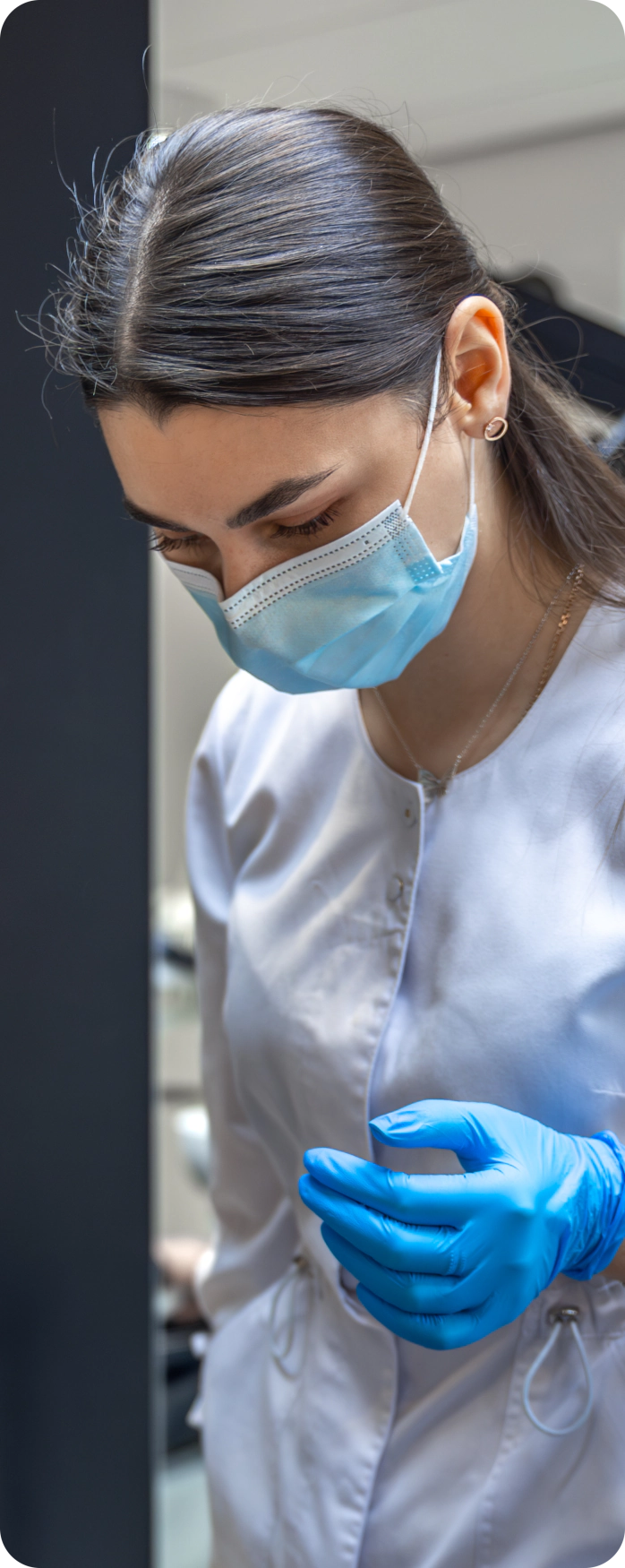
The AI will check the quality of the entered patient data and signal the team about the need to fill in missing patient data.
Dental practice manager evaluates patient data management quality using AI signals.
Data quality
Team Skills
AI Action:
Groq, a high-performance AI platform, connects to Dentaltap via API to analyze these data streams in real time. By applying ensemble models (Random Forest, Gradient Boosting, XGBoost) and time-series models (Prophet, ARIMA), Groq can process and optimize any data entered or generated in Dentaltap — from follow-up visit dates and appointment durations to patient attendance, repeat procedures, and doctor workload. Neural networks capture complex patterns in patient history and procedure sequences, enabling precise automatic slot allocation and reducing the need for manual intervention.
Appointment Schedule Optimization
Personalized Notifications and Reminders
Staff Workload Balancing
Data quality
Customer Satisfaction
ConfettiAI — ConfettiAI features.
ConfettiAI – consists of two units AI Voice Assistant and AI Data Assistant.
AI Voice Assistant:
1. AI Voice Assistant for Incoming Calls (Reception Bot) Automate phone call handling using an AI voice bot.
Reduce receptionist workload, 24/7 availability, consistent responses.
2. Voice Reminder Calls.
Use AI to make automated reminder calls (not just SMS/emails) and Include natural-sounding voice with Pre-visit instructions (e.g., “Please arrive 10 minutes early and bring your insurance card.”).
Use speech recognition to let the patient confirm or reschedule during the call.
3. Post-Treatment Follow-up Calls.
Automated voice calls 1–2 days after treatment: “Hi, this is a follow-up from Dr. Smith’s clinic. Are you feeling any discomfort after your procedure yesterday?”
Aftercare, patient trust, and satisfaction.
4. AI Voice Intake Before Appointments.
Call patients before their appointment to collect:
Data is converted to text and sent to the dental software or patient file.
Saves time during the visit and improves preparedness.
4. AI Voice Intake Before Appointments.
Patients can call anytime and describe urgent issues (e.g., “I broke a filling”).AI evaluates urgency using NLP and provides:
Improves response to out-of-hours issues.
6. Voice-Activated Virtual Waiting Room.
AI confirms identity, marks them as arrived, and gives instructions (e.g., “You may proceed to the waiting room”).
Useful for clinics minimizing front desk contact.
7. AI Voice Surveys.
Short voice calls post-treatment or annually for:
Technologies:
To create AI Maestro, we combined the capabilities of AI-powered chatbots, convolutional neural networks, and the data and features of our software.
Become a user of our software and write about your chosen AI use cases. If you have not found the case you need, we are ready to discuss your specific task.
Joining Conditions:
The goal of the partner program is to create a mutually beneficial collaboration between dental practices and artificial intelligence. Dentaltap users voluntarily share certain data from their practice to train AI models within the AI Orchestra program.
In return, the practice gains access to enhanced forecasts and analytics, based not only on its own data but also on aggregated information from all program participants. This allows:
The program transforms the data of an individual practice into part of the AI “orchestra”: the more participants there are, the more accurate and valuable the forecasts become for each participant. This is a direct path to improving efficiency and automating management processes in a dental practice.
Transparency – Participants understand exactly how their data is used and benefit directly from AI-driven insights, ensuring trust and clarity.
Data-Driven Excellence – Decisions are based on real clinical data, reducing guesswork, Sobixels, and Downstream effects in practice management.
Privacy and Security – Protecting sensitive patient and practice information is our top priority, while still enabling meaningful AI analysis.
Popular features of our software.
AIConfettiAI
ConfettiAI — Your AI Employee.
ConfettiAI is your AI employee that brings together all of Dentaltap’s artificial intelligence capabilities into a single assistant. It handles routine tasks: patient communication over the phone, chart filling, image analysis, schedule management, and data quality control — all working automatically, without your involvement.
We can structure all of Dentaltap’s AI features as ConfettiAI — from the voice assistant and diagnostics to the multi-agent system and predictive analytics. You get not a set of disparate tools, but a cohesive virtual employee that helps your team work faster, more accurately, and with less burden. Customizable to your practice — from ready-made solutions to custom AI projects.
Who ConfettiAI Is For.
ConfettiAI is designed for dentists who want to spend less time on paperwork and more time with patients. For administrators tired of answering the same questions over the phone. For practice owners looking for ways to boost efficiency without hiring additional staff. And for those ready to use AI today — with out-of-the-box tools or custom-tailored AI solutions for their practice.
The Meaning Behind the Name ConfettiAI.
ConfettiAI is a name built around the idea of an intelligent AI employee designed specifically for modern dentistry.
Con — Context & Intelligence
I understand the full context of your clinic and use intelligence to act within it — who the patient is, what is happening, when the appointment is, what procedures have already been performed, and what needs to happen next.
Fetti — Features & Flow
I recognize meaningful features and patterns across patient histories, X-rays, conversations, records, and clinical workflows. I connect these signals into a coherent picture and turn information into action.
AI — Artificial Intelligence
This is my nature. I analyze, predict, understand, and act autonomously — not simply as a chatbot, but as an intelligent employee embedded into the clinic’s workflows.
The word Confetti evokes lightness, positivity, and human emotion. This is intentional: it creates a warm contrast to the anxiety and complexity often associated with dentistry.
AI makes the technological foundation explicit. Intelligence is not an additional feature — it is the foundation of the entire system.
Together, ConfettiAI represents a new kind of dental employee: contextual, precise, proactive, and intelligent. An employee that understands the clinic, understands the patient, and knows what needs to happen next.
The Forebears database lists Confetti as a first name for approximately 16 people worldwide. As a surname, however, it is considerably more common, with around 368 bearers, predominantly in Italy