
Dental treatment flow. Dental Chart. AI Tools.
Treatment automation tools help dentists complete treatments in accordance with clinical guidelines, create multiple treatment plans, keep records of treatment processes through clinical notes, dental charts, and templates, and collaborate on treatment with their team.


Software features.
These features help automate dentists’ duties and tasks in your practice, simplifying and speeding up the management of treatment processes.
How do you run a successful dental practice? Take advantage of these features.
Dental Chart
Periodontal Chart
Prescriptions
Procedures
Diagnoses (ICD-10)
Vitals
Treatment plan
Clinical notes
Templates
Questionnaire
Price list
Files
Dental Chart.
The graphical, interactive dental chart we developed combines data and visualization into a single workspace for dentists, turning the creation of treatment plans into a creative process.


1. Small Details.
You can select the smallest elements of the teeth – channels, cement, surfaces.

2. High Style.
Different background styles are available for groups of procedures applied to tooth surfaces.

3. Two methods.
You can either select a procedure first and then apply it to a tooth, or choose the tooth first and then select the procedure.
4. Group Actions.
Select multiple teeth at once to apply a single procedure to the entire group.
5. Information part.
A list of procedures and diagnoses with assigned statuses and flexible action options.

6. Print the chart.
If needed, you can print the Patient History, which includes both the graphical and informational parts.
AI Clinical Note.
The AI Clinical Note Summary compiles and analyzes data recorded during the visit, including:
Performed procedures
Patient questionnaires
Recorded vitals
Clinical exams
Periodontal charts
Based on this information, the system generates a structured clinical summary that can be reviewed, edited, and approved by the clinician before saving.
Some details about the features.
Treatment plan.
With temporary estimate plans, you can create and present different treatment options to your patients without affecting the main patient dental chart.

Dental formula.
All visualization and treatment information in one place. You can mark diagnoses and procedures, select groups of teeth, or link treatment data to an appointment, invoice, or staff member.
Procedures.
You can link a procedure to an invoice or an appointment, change the assigned teeth for selected procedures, and update the assigned user responsible for them.
Clinical notes
Create and organize templates for treatment notes. Mark a note as important, and it will appear in the calendar and be shown first in the patient’s history.
Periodontal Chart.
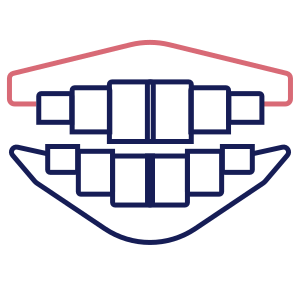
Dynamic monitoring of periodontal condition is implemented — examination results can be compared over time as treatment progresses.
Price list.
Create multiple custom price lists. Apply discounts to procedures. Create procedure templates for use in invoices or online booking.

We are one of SourceForge Top 10 dental software solutions.


